Marketing success shouldn’t be a guessing game. With Salesforce Campaign reporting, you can finally measure what works, what doesn’t, and where to invest next. For new users, the best first report is Campaign Members by Status.
Use the Campaign with Campaign Members report type and group by Member Status. This shows engagement—responded, registered, attended, no-show—and helps evaluate messaging and targeting effectiveness.
Next, build a Campaign ROI Report. Use the standard Campaigns report type and reference the built-in fields: Actual Cost, Budgeted Cost, and Revenue. This shows financial performance clearly, helping marketing leaders budget wisely.
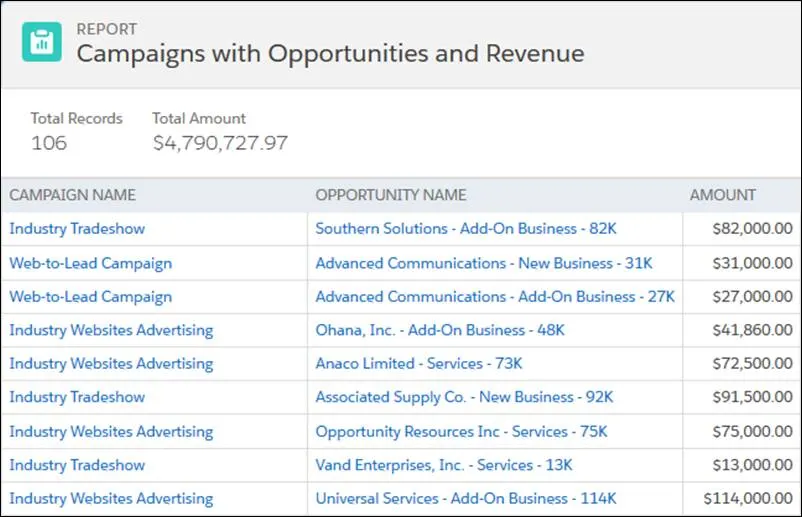
Another powerful view is Leads and Opportunities Influenced by Campaign. This reveals which events, webinars, ads, or emails actually contributed to pipeline and revenue—a critical insight for future planning.
Place these reports on a Campaign Dashboard with charts like funnel visualizations, conversion rate bars, and ROI trend lines. Your leadership team will love it.
Campaign reporting turns activity into insight—giving marketers the power to track conversions, justify budget, and scale what works.
Learn more on Salesforce Trailhead: https://trailhead.salesforce.com/content/learn/modules/campaign_basics/campaigns_basics_unit_4